Why one online checkout rejects a card that works everywhere else, and the fixes that clear it in minutes.
It is one of the more maddening money problems: your card taps fine at the coffee shop, worked at the gas station this morning, and then a single online checkout throws back “payment declined.” The good news is that this specific pattern, an online payment declined while your card works fine elsewhere, almost always points to a short list of causes, and most are fixable without calling anyone. The key thing to understand up front is that the decline usually comes from the merchant’s fraud filters, not your bank. That is exactly why the same card sails through somewhere else.
Bottom Line First
Most online-only declines come down to a billing address or ZIP that does not match your bank’s records, an unfinished bank verification step, or a fraud filter flagging something like a VPN or a first-time purchase. Start by fixing the ZIP, completing any verification prompt, and turning off your VPN. If it still fails, approve the charge in your bank app or pay through Apple Pay or Google Pay, which pass verified details the merchant trusts.
Table of Contents
1. Match your billing address and ZIP exactly
This is the number one cause, so start here. Online checkouts run an Address Verification Service check that compares the numeric street number and ZIP code you type against what your bank has on file. Move recently, enter an old ZIP, or fat-finger a digit, and the AVS check flags the payment as risky. In a store the card is physically present, so no address check happens, which is why it works there. Pull up your statement and type the billing address exactly as it appears, including the ZIP tied to that card, not your current shipping address.
2. Finish the bank verification step
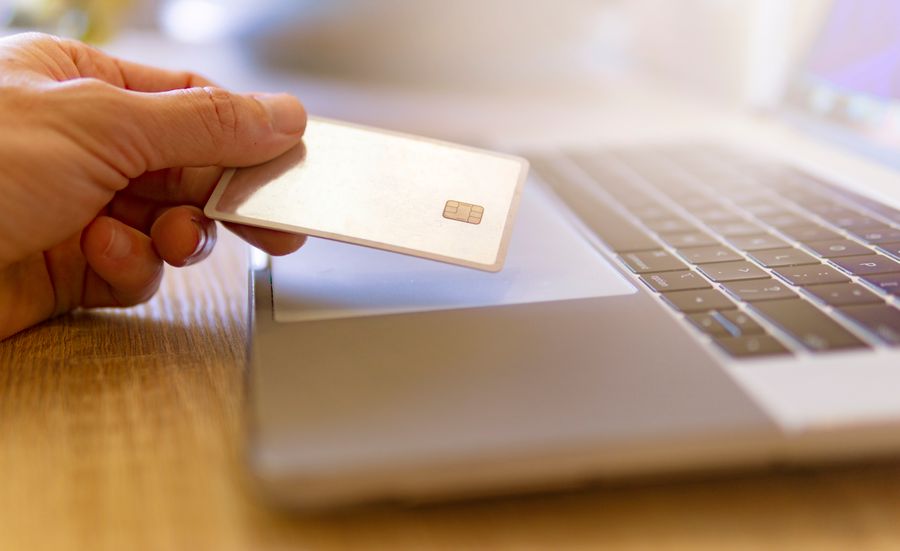
If a pop-up or bank app prompt appears asking you to confirm the purchase with a code or fingerprint, complete it rather than closing it. This is 3-D Secure, the extra authentication banks use for online purchases, and abandoning it reads as a failed or suspicious transaction. Check for a text message, a banking-app notification, or a second browser window that may have opened behind the checkout. Approving that step is often the entire fix.
3. Turn off your VPN and try again
A VPN puts your connection in another city or country, and fraud systems compare that location to your card’s home region. When the two do not line up, the payment can get scored as risky and declined. Switch the VPN off, reload the checkout, and retry. This one catches a lot of people who keep a VPN running by default and never connect the dots.
4. Re-enter the card details slowly
Autofill is convenient and also a common culprit, dropping an old expiry date or the wrong card entirely. Type the number, expiry, and three-digit security code by hand, and confirm the name matches the card. Check that the card has not expired, since a card that still works on saved in-store profiles can fail online once the stored details go stale.
5. Approve the charge in your bank app
Banks increasingly place a silent hold on transactions that look unusual, then wait for you to confirm. One widely shared story involved someone whose bank quietly shut off the card for suspected fraud without telling them, and they only found out at the register. Open your banking app and look for a fraud alert or a “did you make this purchase?” prompt, or check for a text you can reply to. Approving it usually clears the block within a minute.
6. Pay through a digital wallet
Apple Pay and Google Pay send a tokenized, pre-verified version of your card that merchants and banks tend to trust more than manually typed numbers. If the checkout offers a wallet button, use it. It sidesteps AVS typos and often skips the extra authentication step entirely, which makes it one of the fastest workarounds when a normal card entry keeps failing.

7. Switch browsers or clear the checkout
Sometimes the card is fine and the checkout is broken. An aggressive ad-blocker, a privacy extension, or a stale cached session can stop the payment script from running, which surfaces as a vague decline. Try a different browser, open a private window, or disable extensions for that site. If a mobile app checkout keeps failing, attempt the same purchase on the merchant’s website instead.
8. Check your funds and spending limits
Confirm the obvious before assuming a glitch: enough available balance or credit, and no daily or per-transaction online limit in the way. Some banks cap online or international spending separately from in-store use, and a large or first-time online purchase can trip that ceiling even when your balance is healthy. You can usually raise or disable these limits from the banking app.
9. Wait a few minutes, then retry once
Fraud systems watch for velocity, meaning several attempts in quick succession. Hammering the pay button after a decline can look like card testing and dig you deeper into the block. Wait a few minutes, fix the likely cause, and retry a single time. If you were rapidly retrying, that behavior itself may have been the trigger.
10. Call the number on the card or use another card
If nothing above works, the fastest human fix is the fraud line printed on the back of your card. Tell them the exact merchant and amount, and they can whitelist it or lift a hold on the spot. In the meantime, a different card or payment method will usually complete the purchase, since the problem is tied to that one card at that one merchant.
How We Chose These
We focused on the causes behind the specific pattern of a card that works in person but fails at one online checkout, since that narrows the problem to card-not-present fraud checks rather than a dead card. The fixes are ordered roughly from most common and easiest to least, so you can work down the list and stop as soon as the payment clears. Each one targets a real trigger, from AVS and 3-D Secure to bank holds and merchant-side settings.
This article is general information, not financial advice. Card policies and fraud rules vary by bank and card network, so contact your card issuer for guidance on your specific account.
The Bottom Line
An online decline on a card that works everywhere else is rarely a broken card, and it is almost never worth panicking over. Work the quick wins first: match the billing ZIP exactly, finish any verification prompt, and drop the VPN. If those miss, approve the charge in your bank app or pay with a digital wallet, which quietly solves the most common triggers at once. Save the phone call for last, because you usually will not need it. For more on managing money and payments, browse YouGottaRead’s Business section, and our guide to common finance mistakes pairs well if declines keep catching you off guard.
Frequently Asked Questions
Why is my card declined online but works in stores?
Online checkouts run extra card-not-present checks that in-store payments skip, mainly the Address Verification Service and 3-D Secure. If your billing ZIP does not match, a verification step goes unfinished, or a fraud filter flags something like a VPN, the online payment is declined even though the physical card is perfectly fine.
What is an AVS mismatch?
AVS, or Address Verification Service, compares the street number and ZIP code you enter against your bank’s records. A mismatch, often from a recent move or a typo, marks the transaction as higher risk, and many merchants decline it by default. Entering the exact billing address on your statement usually fixes it.
Does using a VPN cause card declines?
It can. A VPN makes your purchase appear to come from a different location than your card’s home region, which fraud systems treat as a warning sign. Turning the VPN off and retrying resolves many otherwise unexplained online declines.
Is it safer to use Apple Pay or Google Pay when a card keeps failing?
Often yes. Digital wallets send a tokenized, pre-verified version of your card that banks and merchants trust, which avoids typos and frequently skips the extra authentication step. If the checkout offers a wallet option, it is one of the quickest ways around a stubborn decline.
Should I keep retrying a declined online payment?
No. Rapid repeated attempts look like card testing and can deepen a fraud block. Wait a few minutes, fix the likely cause such as the ZIP or an unfinished verification step, then retry once. If it still fails, approve the charge in your bank app or call the number on the card.