QuickBooks Online is a capable, popular tool, and most owners who look elsewhere are not fleeing something broken. They have hit a particular requirement it does not put front and center, and increasingly that requirement is e-invoicing: sending structured, machine-readable invoices that governments and large business customers can accept, rather than a PDF attached to an email. As mandates spread and B2B buyers get stricter, “can this handle real e-invoicing” becomes a buying question rather than a nice-to-have.
Choosing among QuickBooks alternatives for e-invoicing readiness means looking past the marketing and checking how each tool handles structured invoice formats, data export, audit trails, and its roadmap for compliance in your region. This guide compares five strong options, Xero, Zoho Books, FreshBooks, Wave, and Sage, on those terms, with an honest note on where each falls short, plus the questions to ask any vendor before you commit.
What Matters Most
If e-invoicing readiness is your reason for leaving QuickBooks Online, weigh alternatives on structured-invoice support, such as sending through a network like Peppol where it applies, clean data export and portability, a solid audit trail, and the vendor’s compliance roadmap for your country. Xero and Zoho Books tend to lead on structured e-invoicing, FreshBooks shines for service-business invoicing, Wave suits the smallest budgets, and Sage fits growing firms. The right pick depends on your customers, your region, and how far you need to future-proof.
What E-Invoicing Readiness Actually Means
E-invoicing is not the same as emailing a PDF. A true electronic invoice is structured data, machine-readable, exchanged in a format the recipient’s system and, increasingly, a government platform can process automatically. Much of this runs over standardized networks, with the Peppol framework being a common example in many regions. Readiness means your accounting tool can produce and, where required, transmit invoices in those formats, rather than only printing a nice-looking document.
Why the urgency now? A growing number of countries are phasing in B2B e-invoicing mandates, with the European Union especially active in rolling requirements out across member states through the mid-2020s, and some countries already requiring it. In the United States there is no federal B2B mandate yet, though standardized e-invoicing is advancing through industry pilots. The practical takeaway is that readiness matters most if you sell internationally, work with government or large B2B clients, or simply want to avoid a scramble later. Confirm the specifics for your own country and customers, since rules and timelines vary.
How We Chose These
This is not a ranking of raw popularity but a comparison through one lens: how well each tool prepares you for structured, compliant invoicing. We weighed each option on the criteria that actually matter for that goal:
- Structured e-invoicing support: whether the tool can create and send standards-based electronic invoices, including through networks like Peppol where relevant, rather than only PDFs.
- Data export and portability: how easily you can get your invoices, contacts, and ledgers out in usable formats, so you are never trapped.
- Audit trail and records: whether changes, reissues, and approvals are tracked in a way that stands up to scrutiny.
- Customer experience and portal: how invoices reach clients and whether there is a portal for viewing and paying them.
- Scalability and transparent pricing: whether the tool grows with you and prices its tiers clearly, without surprise add-ons for core needs.
1. Xero
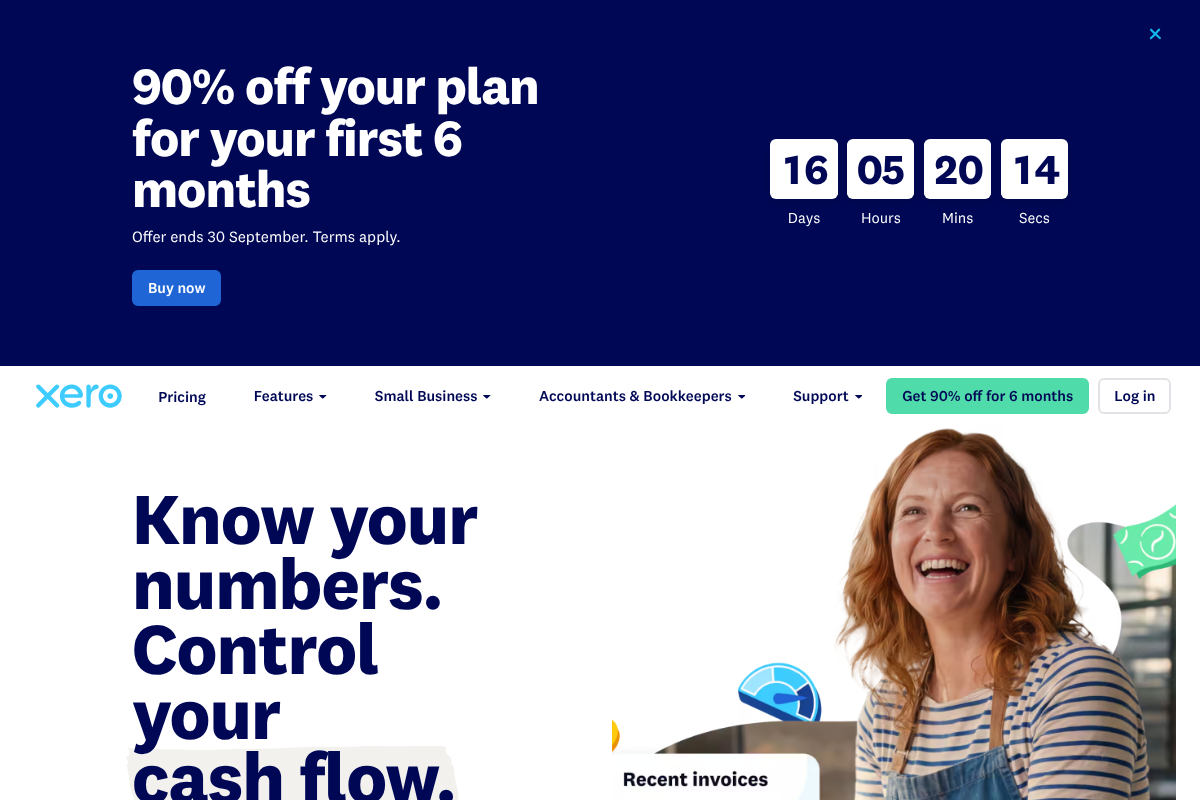
Xero is the most common all-around alternative to QuickBooks Online, with double-entry accounting, a large app ecosystem, and strong bank reconciliation. On e-invoicing, it stands out because it has built-in electronic invoicing through the Peppol network in supported countries, which is exactly the structured capability this comparison is about. For owners who want a full accounting platform that already speaks the language of standards-based invoicing, it is a natural first stop.
Who it is for: owners who want a complete accounting platform with genuine e-invoicing support and room to grow. Honest con: pricing rises across tiers, some capabilities depend on add-on apps, and lower plans cap how many invoices or bills you can process, so costs can climb as you scale. See Xero for current plans and regional e-invoicing availability.
2. Zoho Books
Zoho Books pairs strong value with serious e-invoicing chops, offering compliance features for electronic invoicing in a number of countries and slotting neatly into the wider Zoho suite of business apps. It covers full accounting, a client portal, automation, and good export options, which makes it a strong fit for owners who want capability without a premium price. If you already use other Zoho tools, the integration is a real bonus.
Who it is for: value-focused owners who want capable accounting plus e-invoicing, especially within the Zoho ecosystem. Honest con: the best value and smoothest experience come when you live inside Zoho’s ecosystem, specific e-invoicing features vary by country, and higher user counts push you up the tiers. Check Zoho Books for what applies in your region.
3. FreshBooks
FreshBooks built its reputation on invoicing, and for service businesses and freelancers it remains one of the most pleasant tools to send and get paid on. It offers a polished client portal, time tracking, and clear payment workflows. Its structured, standards-based e-invoicing is more dependent on your region than a platform like Xero, so it is best seen as an invoicing-first tool that may or may not meet a strict e-invoicing mandate where you operate.
Who it is for: freelancers and service businesses that prioritize a great invoicing and client-payment experience. Honest con: it has historically been lighter on deep double-entry accounting than rivals, structured e-invoicing depends on your country, and lower tiers limit billable clients. Confirm specifics on FreshBooks before relying on it for a mandate.
4. Wave
Wave is the budget-friendly pick, offering free core accounting and invoicing that covers the basics well for very small businesses and solo operators. If your needs are simple and cash is tight, it removes the cost barrier entirely for foundational bookkeeping and sending clean invoices. It is a genuine on-ramp, and for some businesses it is all they need for a good while.
Who it is for: solopreneurs and very small businesses that want no-cost basics over advanced compliance features. Honest con: it is lighter on structured, standards-based e-invoicing, has fewer integrations, charges for add-ons like payments and payroll, and centers on North American users, so it is a weaker fit if you face strict e-invoicing rules. See Wave for current features.
5. Sage
Sage is a long-established name in accounting, and its cloud accounting product suits growing small and mid-sized firms that want a scalable platform with international reach and e-invoicing options in various markets. For owners who expect to grow into more complex accounting, its heritage and breadth are reassuring, and it is worth shortlisting alongside the cloud-native tools above.
Who it is for: growing firms wanting an established, scalable platform with international coverage. Honest con: some users find the interface less modern than newer cloud-native rivals, and its range of products and tiers can make choosing the right plan and confirming e-invoicing coverage for your country more work. Verify current details with Sage directly.
Comparison at a Glance
| Tool | Best for | E-invoicing readiness | Notable con |
|---|---|---|---|
| Xero | Full platform, room to grow | Strong, built-in in supported regions | Costs rise, plan limits |
| Zoho Books | Value plus ecosystem | Strong, varies by country | Best inside Zoho suite |
| FreshBooks | Service-business invoicing | Region-dependent | Lighter deep accounting |
| Wave | Smallest budgets | Limited | Fewer features, NA focus |
| Sage | Growing firms | Available in various markets | Interface, plan complexity |
Questions to Ask a Vendor About E-Invoicing
Marketing pages rarely answer the questions that decide whether a tool will actually keep you compliant. Before you switch, ask any vendor these directly:
- Do you support structured e-invoicing in my country, and through which network or format? Ask specifically about Peppol or the format your clients or government require, rather than only “electronic invoices.”
- What is your compliance roadmap? If a mandate is coming to your region, ask what they have committed to build and by when.
- How do I export everything if I leave? Confirm you can extract invoices, contacts, and ledgers in standard formats without losing structure.
- What does the audit trail capture? Make sure edits, reissues, and approvals are logged in a way that satisfies your record-keeping needs.
- What costs extra? Clarify whether e-invoicing, extra users, or payment processing sit behind higher tiers or add-ons.
This article is general information, not accounting, tax, or legal advice, and it cannot confirm compliance for your specific situation. E-invoicing rules, mandates, product features, and pricing vary by country and by vendor and change over time. Verify current capabilities and regional compliance directly with each provider, and consult a qualified accountant or advisor about the requirements that apply to your business before switching tools.
Frequently Asked Questions
What are the best QuickBooks alternatives for e-invoicing readiness?
For structured, standards-based e-invoicing, Xero and Zoho Books tend to lead, with built-in electronic invoicing support that varies by region, while FreshBooks is excellent for service-business invoicing but more region-dependent on strict e-invoicing, Wave suits the smallest budgets with more limited capability, and Sage fits growing firms wanting an established platform. The best choice depends on your country’s rules, your customers, and how much you need to future-proof, so confirm regional e-invoicing support with each vendor before deciding.
What is e-invoicing, and how is it different from a PDF invoice?
E-invoicing means sending an invoice as structured, machine-readable data that the recipient’s system, and often a government platform, can process automatically, frequently over a standardized network such as Peppol. A PDF invoice, even a polished one, is just a document a human reads and re-enters. The difference matters because a growing number of jurisdictions require true structured e-invoices for business-to-business or government transactions, and a PDF does not satisfy those mandates.
Does QuickBooks Online support e-invoicing?
QuickBooks Online is a capable accounting tool, and its e-invoicing capabilities depend on your region and the specific plan or add-ons available there, so it is not that it cannot do electronic invoicing everywhere. Owners often look at alternatives when they want structured e-invoicing to be a central, clearly supported feature for their country rather than something to confirm. The honest approach is to check exactly what QuickBooks offers in your market and compare it to the alternatives on the same terms.
Will I be able to move my data if I switch from QuickBooks?
Generally yes, though the completeness varies by tool, which is why data export is one of our core criteria. Most alternatives let you import contacts, chart of accounts, and historical data, but details like attachments, custom fields, and full transaction history can transfer imperfectly. Before committing, test an export from QuickBooks and an import into your chosen tool on sample data, and ask the new vendor exactly what migrates cleanly so you are not surprised after the switch.
Do I actually need e-invoicing if I am a small US business?
It depends on your customers and plans. If you sell only to US consumers today, a strict e-invoicing mandate may not affect you yet, since the United States has no federal B2B requirement at the moment. But if you work with international clients, government or large B2B buyers, or expect to, readiness saves a painful scramble later as standardized e-invoicing continues to advance. Choosing a tool that already supports it is a low-cost way to future-proof.
The Bottom Line
Leaving QuickBooks Online for e-invoicing readiness is a sensible, specific reason to switch, and the right alternative depends on your region and customers rather than a single winner. Xero and Zoho Books lead on structured e-invoicing, FreshBooks wins on service invoicing, Wave covers tight budgets, and Sage suits growth, but the decisive step is asking each vendor the compliance questions above and testing your data export first. For more on choosing and switching business tools, see our guides to comparing invoicing tools when clients require PO numbers and questions to ask before switching tools so you don’t break automations, or browse the YouGottaRead Business section.