


Here is the quiet cost of a modern doorbell: the camera is cheap, but the footage is rented. Miss the monthly payment and the video you actually care about, the porch pirate, the hit-and-run, the person who should not be there, is locked behind a paywall or already deleted. For a lot of people that math finally stopped adding up, and the good news is that plenty of doorbells now keep your video at home, on a card or a hub you own, with nothing to pay each month.
The video doorbell alternatives with local storage and no subscription save footage to a microSD card, an indoor hub, or your own network recorder instead of a company’s cloud, so you own the video and skip the fee. The trade-offs are real, from storage limits to setup effort, so the list below sorts eleven options by how they store video and who each one suits. Here they are.
The 11 Alternatives at a Glance
- eufy Video Doorbell: footage on an indoor hub, no fee.
- Reolink Doorbell: records to your own NVR or NAS.
- Aqara Doorbell G4: card in an indoor chime, HomeKit ready.
- TP-Link Tapo Doorbell: 2K and microSD on a budget.
- aosu Doorbell: large built-in storage and on-device AI.
- Netatmo Doorbell: HomeKit and local card, made in Europe.
- Blink Video Doorbell: cheap local backup to a USB drive.
- UniFi Protect Doorbell: for a self-hosted camera system.
- Amcrest Doorbell: microSD plus open ONVIF recording.
- A self-hosted NVR setup: full control for tinkerers.
- Wyze Video Doorbell: budget local recording, with caveats.
What “Local Storage” Really Means for a Doorbell
Local storage means your video is saved on hardware you own rather than streamed to a company’s servers, which removes the monthly fee and keeps the footage private. It usually takes one of three forms: a microSD card, an indoor hub or chime that holds the card, or a network video recorder and NAS on your home network.
One detail matters for security: where the storage physically sits. A card inside the doorbell can be lost if the doorbell is stolen, so options that keep recordings on an indoor hub or a separate recorder are safer for the footage you most want to keep. Weigh that alongside storage size and setup effort as you read.
Quick Comparison
| Doorbell | Storage type | Best for |
|---|---|---|
| eufy | Indoor hub | Simple, no-fee setup |
| Reolink | microSD or NVR/NAS | Self-hosting |
| Aqara G4 | Card in indoor chime | Apple homes |
| Tapo | microSD or hub | Budget buyers |
| aosu | Built-in storage | On-device AI |
| Netatmo | microSD | HomeKit, EU-made |
| UniFi Protect | Own NVR | Prosumer systems |
| Wyze | microSD or USB | Lowest cost |
1. eufy Video Doorbell
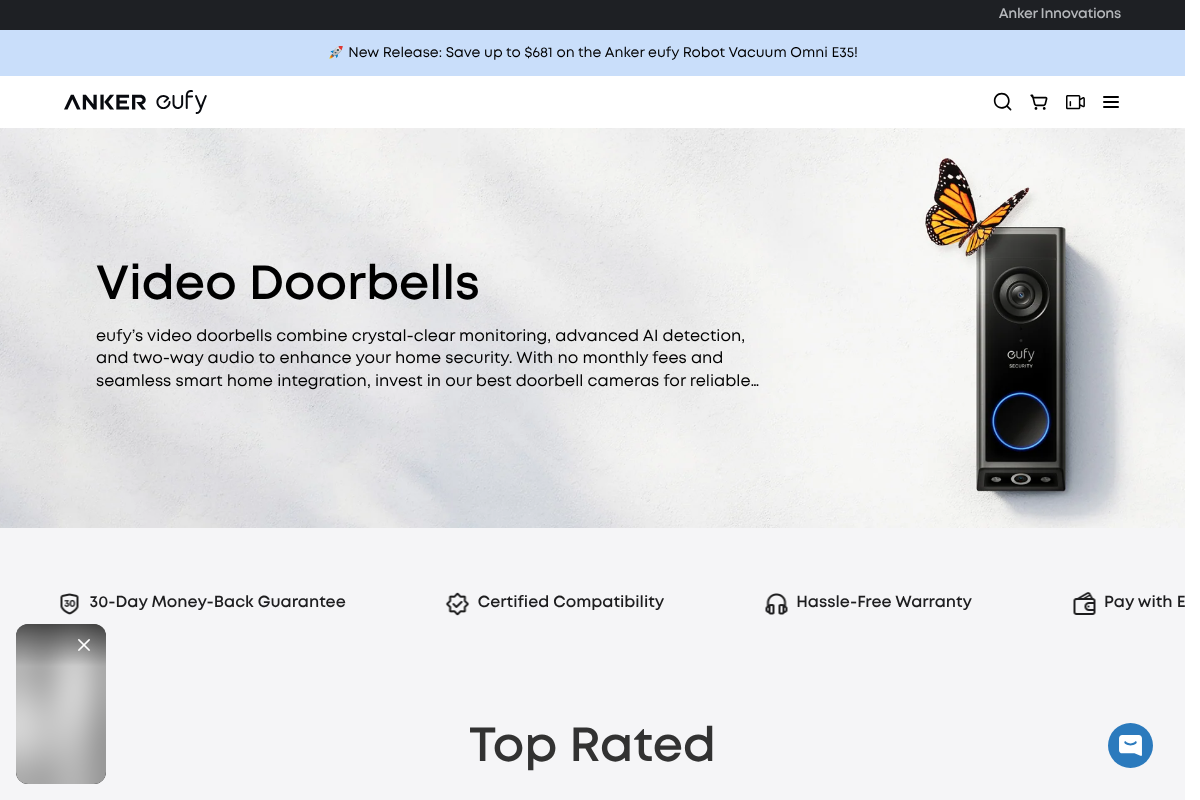
eufy, from Anker, is the brand most people mean when they say no-subscription doorbell. Its models record to an included indoor HomeBase or built-in storage with no monthly fee, and because the footage lives on a hub inside your home, a stolen doorbell does not take your recordings with it.
Recent dual-camera versions add a second lens to watch packages on the ground by the door, along with on-device person detection. For someone who wants a Ring-like experience without the Ring bill, eufy is the straightforward pick, and it is the one to beat on this list.

2. Reolink Video Doorbell
Reolink is the choice if you want your doorbell feeding your own recorder. It records to a microSD card and, unlike most consumer doorbells, supports RTSP and ONVIF, so it can stream to a Reolink network video recorder or a NAS out of the box with no cloud account involved.
That openness is the appeal: the video is yours to store and export however you like. Wired and battery models exist, and for anyone building a private, self-owned camera system, Reolink is the most flexible mainstream doorbell to build around.
3. Aqara Video Doorbell G4
The Aqara G4 is built for Apple households that want local control. Its microSD card sits inside the indoor chime repeater rather than in the doorbell outside, which is safer, and it supports HomeKit Secure Video, storing encrypted recordings without an extra fee if you already have iCloud storage.
It runs on batteries or wired power and works across the major voice assistants. For someone in the Apple ecosystem who wants recordings kept indoors and end-to-end encrypted, the G4 hits a sweet spot that few doorbells match.
4. TP-Link Tapo Video Doorbell
Tapo is the value leader for local storage. Its wired 2K doorbells offer a sharp, tall view of your doorstep, free on-device person detection, and recording to a microSD card or a Tapo hub, all without a required subscription, at a price that regularly undercuts the big names.
You can add an optional cloud plan if you ever want off-site backup, but nothing forces you to. For a budget-conscious buyer who still wants 2K video and local recording, Tapo is hard to beat on cost.
5. aosu Video Doorbell
aosu is a newer name that competes on image quality and onboard storage. Its higher-resolution models pack a wide, tall field of view and generous built-in storage with on-device AI detection, so faces and packages are captured clearly without a monthly plan.
Being a smaller brand, its app and ecosystem are less established than eufy’s, so check current reviews before buying. But for a no-fee doorbell that leans on sharp video and local AI rather than cloud processing, aosu is worth a look.
6. Netatmo Smart Video Doorbell
Netatmo is the pick for a European-made, HomeKit-friendly doorbell with no fees. It records locally to a microSD card, integrates cleanly with Apple Home, and carries no subscription for its core video features, which appeals to buyers who specifically want to avoid the dominant American brands.
It is a wired doorbell with solid build quality and person detection. If HomeKit compatibility and a non-cloud, privacy-minded pedigree matter to you, Netatmo fills a niche the bigger brands largely ignore.
7. Blink Video Doorbell
Blink, though owned by Amazon, offers a genuinely cheap local-storage route. Paired with its Sync Module and a USB drive, the Blink Video Doorbell can save clips locally without a subscription, making it one of the lowest-cost ways to get recorded doorbell video you keep.
The trade-offs are a more basic feature set and reliance on the Sync Module for local saving, so confirm the current setup before buying. For a bare-bones, low-price entry into no-fee recording, though, it does the job.
8. UniFi Protect Doorbell
Ubiquiti’s UniFi Protect doorbell is the enthusiast’s answer. It records to a UniFi Protect console or network recorder you own, with no per-camera subscription, and folds into a wider self-hosted system of cameras managed from one place on your own network.
The catch is that it expects the UniFi ecosystem, which means more upfront hardware and setup than a plug-in doorbell. For a prosumer already running or willing to build that system, it delivers local recording and control that consumer brands cannot.
9. Amcrest Video Doorbell
Amcrest serves the buyer who wants standards-based recording without going full UniFi. Its doorbells save to a microSD card and support ONVIF, so they can record to many third-party network video recorders and NAS devices rather than locking you into one app or cloud.
The apps are functional rather than polished, but the openness is the point. For someone who wants a doorbell that plays nicely with an existing camera recorder or a NAS, Amcrest is a practical, no-subscription option.
10. A Self-Hosted NVR Setup
The most private route is not a single product but an approach: pair an ONVIF or wired doorbell camera with your own recorder software, such as a NAS surveillance package or an open-source system running on a small home server. The footage never leaves your network, and you set every rule yourself.
This asks the most of you in setup and maintenance, and it is overkill for many households. But for a tinkerer who wants total control, custom motion zones, and zero reliance on any company’s servers, a self-hosted recorder is the ceiling for local, private doorbell video.
11. Wyze Video Doorbell
Wyze is the ultra-budget option, recording to a microSD card without a required subscription, which has made it hugely popular for cheap local video. If cost is the deciding factor, it delivers a lot of doorbell for very little money.
An honest caveat belongs here: Wyze has faced publicized security incidents in past years, so if you choose it, keep its firmware updated and weigh your privacy comfort. As budget local recording goes it is capable, but it is the pick that most rewards caution.
This is general information to help you compare doorbells, not legal or security advice. Storage capacities, subscription terms, and features change often and vary by model, so confirm the current details with each maker before buying. Recording laws also vary, especially for audio and for cameras that capture a neighbor’s property, so check the rules where you live and aim your camera responsibly.
Frequently Asked Questions
What are the best video doorbell alternatives with local storage and no subscription?
eufy leads for a simple no-fee setup with footage kept on an indoor hub, and Reolink is best if you want to record to your own NVR or NAS. Aqara’s G4 suits Apple homes with the card indoors, Tapo wins on budget, and a self-hosted recorder gives the most control. All store video locally with no required monthly fee.
Do any video doorbells work with no monthly fee at all?
Yes. Doorbells from eufy, Reolink, Aqara, TP-Link Tapo, Netatmo, and others record to local storage, a microSD card, an indoor hub, or your own recorder, with no subscription required for core recording. Some offer an optional cloud plan for off-site backup, but you are not forced to pay it to save and view your footage.
Is local storage or cloud storage better for a doorbell?
Local storage keeps your footage private and free of monthly fees, but it can be lost if the device is stolen or the card fails. Cloud storage protects against theft and hardware failure but costs money and puts your video on someone else’s servers. Keeping storage on an indoor hub or recorder blends the best of both.
Can a doorbell save video without WiFi or a subscription?
To a point. A doorbell with a microSD card or a wired recorder can save video locally without any subscription, and a self-hosted NVR keeps everything on your own network. Most smart doorbells still need WiFi for live viewing and alerts, but the recording itself can happen entirely on hardware you own.
Is a microSD card in the doorbell safe if the doorbell is stolen?
Not entirely, which is why storage location matters. A card inside the outdoor doorbell goes with the device if a thief takes it, so your footage of the theft can disappear too. Doorbells that store recordings on an indoor hub, chime, or separate recorder keep the video even if the doorbell itself is removed.
The Bottom Line
You do not have to rent access to your own front door. Local-storage doorbells put the footage on a card, a hub, or a recorder you own, ending the monthly fee and keeping your video private, with only storage limits and a bit of setup as the trade. Start with eufy for simplicity, Reolink or a self-hosted recorder for control, and keep the recordings indoors where a thief cannot grab them. For more on cutting recurring costs and running a smarter home, browse YouGottaRead’s Home & Garden section, and see our guide to subscription cancellation traps that keep charging you.


