



The flight boards, you open your workspace to finish the doc you swore you would finish, and the page loads a spinner that never resolves. Or worse, it opens, you type for an hour, and the changes vanish when you land because they never really saved. For a team that works from planes, trains, and hotel dead zones, a tool that only pretends to work offline is a genuine liability.
Notion recently shipped an official offline mode, its most-requested feature for years, but pre-loading a page for the flight is not the same as a tool that lives on your device by default. The Notion alternatives with real offline access take a local-first approach, storing your data on your machine and syncing when a connection returns. Here are seven that keep a team productive with no signal, and how they handle the tricky part: merging everyone’s edits.
The 7 Alternatives at a Glance
- Obsidian: local Markdown files that work fully offline.
- AppFlowy: the closest local-first clone of Notion.
- Anytype: encrypted, offline-by-design team spaces.
- AFFiNE: offline docs and whiteboards in one.
- Logseq: local-first outliner for connected notes.
- Joplin: open-source notes with flexible sync.
- Craft: polished offline-first documents.
How We Chose These
We looked for tools that are local-first, meaning your content lives on the device and syncs afterward, rather than cloud apps that cache a few pages for a trip. That distinction is the whole point for a traveling team, so genuine offline editing was the entry requirement.
From there we weighed how each handles multiple people editing the same content, since offline collaboration lives or dies on conflict handling. We also considered mobile reliability, whether the tool suits a whole team or leans personal, and the honest trade-offs, because none of these is a perfect Notion clone.
What Real Offline Access Actually Requires
Real offline access means you can create, edit, and reorganize your work with the network off, and nothing is lost when you reconnect. A cloud tool that lets you view cached pages is not the same, because the moment you need to make a structural change or add a page, it stalls.
The harder half is conflict handling. When two teammates edit the same page offline, the tool has to merge both sets of changes sensibly instead of overwriting one, so how each app resolves those conflicts matters as much as whether it opens without wifi at all.
Quick Comparison
| Tool | Best for | Storage | Team fit |
|---|---|---|---|
| Obsidian | Owning your notes as files | Local Markdown | Small teams via Sync |
| AppFlowy | A Notion-style workspace | Local, self-hostable | Teams |
| Anytype | Private, encrypted spaces | Local, encrypted | Teams |
| AFFiNE | Docs plus whiteboards | Local, syncs | Small teams |
| Logseq | Linked, outline notes | Local Markdown | Individuals, small teams |
| Joplin | Open-source flexibility | Local, choose sync | Individuals, small teams |
| Craft | Beautiful documents | Local, syncs | Small teams |
1. Obsidian
Obsidian is the local-first standard because your notes are plain Markdown files on your own disk. That means it opens and edits instantly offline, with no cloud dependency, and your library keeps working even if the company disappeared tomorrow.
For teams, the paid Sync service shares a vault across devices and people, though because it works on files, two people editing the same note offline can produce a merge conflict you resolve by hand. It also has a real learning curve and leans toward personal knowledge management, so it rewards a team willing to set up structure.
2. AppFlowy
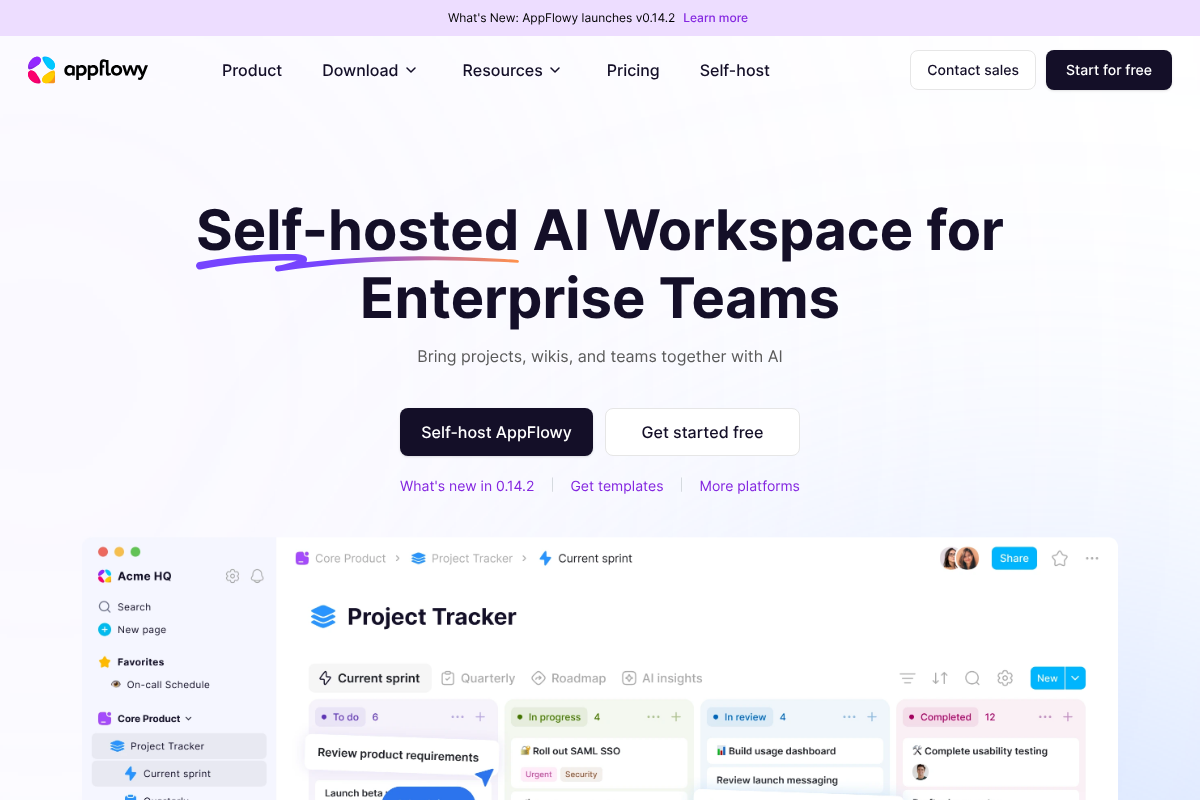
AppFlowy is the closest thing to a drop-in Notion replacement that is genuinely local-first. It brings the familiar mix of documents, databases, and kanban boards, stores your data on your device, and can be self-hosted, so a team can own its workspace outright.
Because it is open-source and local by default, editing offline is the normal state rather than a special mode. It is still maturing compared with Notion’s polish, so expect some rough edges, but for a team that wants the Notion layout without the cloud lock-in, it is the most direct match.

3. Anytype
Anytype pairs offline-by-design with strong privacy. It is encrypted and local-first, so your objects and pages live on your devices and sync peer to peer, which appeals to teams handling sensitive material that should not sit on someone else’s server.
It supports shared spaces for collaboration and works fully without a connection. The honest trade is the learning curve: its object-based model is powerful but less immediately intuitive than Notion, so a team should budget time to get comfortable before relying on it in the field.
4. AFFiNE
AFFiNE combines documents and a whiteboard canvas in one local-first app, which is handy for teams that plan visually as well as write. It stores content locally and syncs when connected, so brainstorming on a train and cleaning it up later both work without interruption.
The docs-plus-canvas mix sets it apart from the note-only tools here. It is newer than the established names, so weigh its stability for mission-critical work, but for a team that lives between writing and diagramming, having both offline in one place is a real draw.
5. Logseq
Logseq is a local-first outliner built around linked, bullet-style notes stored as Markdown. It works entirely offline, keeps your files local, and excels at connecting ideas across pages, which suits research-heavy and note-dense workflows.
Its outliner structure is a different way of writing than Notion’s pages, so it fits teams that think in linked notes more than formatted documents. For individuals and small groups who want durable local files and fast offline capture, it is a strong, free-to-start option.
6. Joplin
Joplin is the open-source pick with the most flexibility in how it syncs. It stores notes locally and works offline, then lets you sync through a service you choose, which keeps your data under your control and off a single vendor’s cloud.
The interface is plainer than the design-forward tools here, and its collaboration is lighter than a true team workspace. But for a privacy-minded team or individual that wants reliable offline notes with Markdown and end-to-end encryption options, Joplin is dependable and genuinely free.
7. Craft
Craft is the polished, offline-first document tool for teams that care how their work looks. Its native apps are fast and attractive, editing works smoothly without a connection, and documents sync across devices once you are back online.
It is strongest in the Apple ecosystem and geared more toward beautiful docs than sprawling databases, so match it to how your team works. For writing-centric teams that want a refined experience that does not fall apart on a plane, Craft delivers.
Offline behavior, team features, and pricing change with updates and differ by platform, and no tool here is a perfect one-to-one Notion replacement. Test your real workflow offline, including how edits merge across teammates, before committing, and confirm current features on each tool’s own site.
Frequently Asked Questions
What are the best Notion alternatives with real offline access?
For genuine local-first offline work, Obsidian, AppFlowy, and Anytype lead, since they store data on your device and sync afterward. AFFiNE adds an offline whiteboard, Logseq suits linked outline notes, Joplin offers open-source flexibility, and Craft is the most polished for documents. AppFlowy is the closest match to Notion’s layout.
Does Notion work offline now?
Notion added an official offline mode, its long-standing top request, so you can now work on pages without a connection. It is newer and works best when you prepare pages before going offline, which is different from a local-first tool that stores everything on your device by default. For frequent travel, a local-first alternative is often more reliable.
AppFlowy vs Anytype: which is better for an offline team?
Choose AppFlowy if you want the closest match to Notion’s documents, databases, and boards, and the option to self-host. Choose Anytype if privacy is the priority, since it is encrypted and peer-to-peer by design. Both work fully offline; AppFlowy feels more familiar, while Anytype trades a steeper learning curve for stronger privacy.
How do offline tools handle two people editing the same page?
It depends on the tool’s sync model. File-based tools like Obsidian can create a merge conflict when two people edit the same note offline, which you resolve manually. Purpose-built collaborative tools like Anytype and AppFlowy aim to merge changes automatically, but conflict handling is exactly what you should test with your team before relying on it.
Are these Notion alternatives free?
Several are free to start or fully free. Obsidian, Logseq, and Joplin are free for personal use, with Obsidian charging for its Sync service. AppFlowy and Anytype are open-source with free tiers, and AFFiNE and Craft offer free plans alongside paid team features. Costs usually appear with team sync, hosting, or advanced collaboration.
The Bottom Line
Notion’s new offline mode helps, but if your team regularly works without a connection, a local-first tool that is built for it will fail you less often. AppFlowy is the closest Notion-style match, Obsidian and Logseq give you durable local files, Anytype and Joplin lead on privacy, and AFFiNE and Craft cover visual and polished workflows. Whichever you shortlist, test how edits merge across teammates offline before you switch. For more on staying productive when the connection drops, browse YouGottaRead’s Tech section, including our guide to map apps that truly work offline and app permissions that break after an update.


