


You bought the movie fair and square on Apple TV, and now you are at a friend’s place with a Fire TV stick and only a Prime Video account, staring at a film you supposedly own but cannot watch here. It is one of the quiet frustrations of digital media: your purchases sit in walled gardens, and moving one from Apple’s garden to Amazon’s feels like it should be simple. The honest answer is layered, but mostly good news, and it has a name.
The question of whether you can transfer a digital movie purchase between Apple TV and Prime Video comes down to one free service, Movies Anywhere, which links your libraries instead of literally moving a purchase. Connect both accounts and an eligible movie you bought on one appears in the other, though several exceptions decide which titles make the trip. Here is exactly what works, what does not, and how to set it up.
The Short Answer
- No direct transfer: you cannot move a purchase store to store.
- Movies Anywhere links libraries: eligible titles appear in both.
- Movies only: TV shows never sync.
- Participating studios only: Paramount and MGM are not included.
- It is a link, not a move: the purchase stays where you bought it.
- United States service: it does not work everywhere.
How Movies Anywhere Links Your Libraries
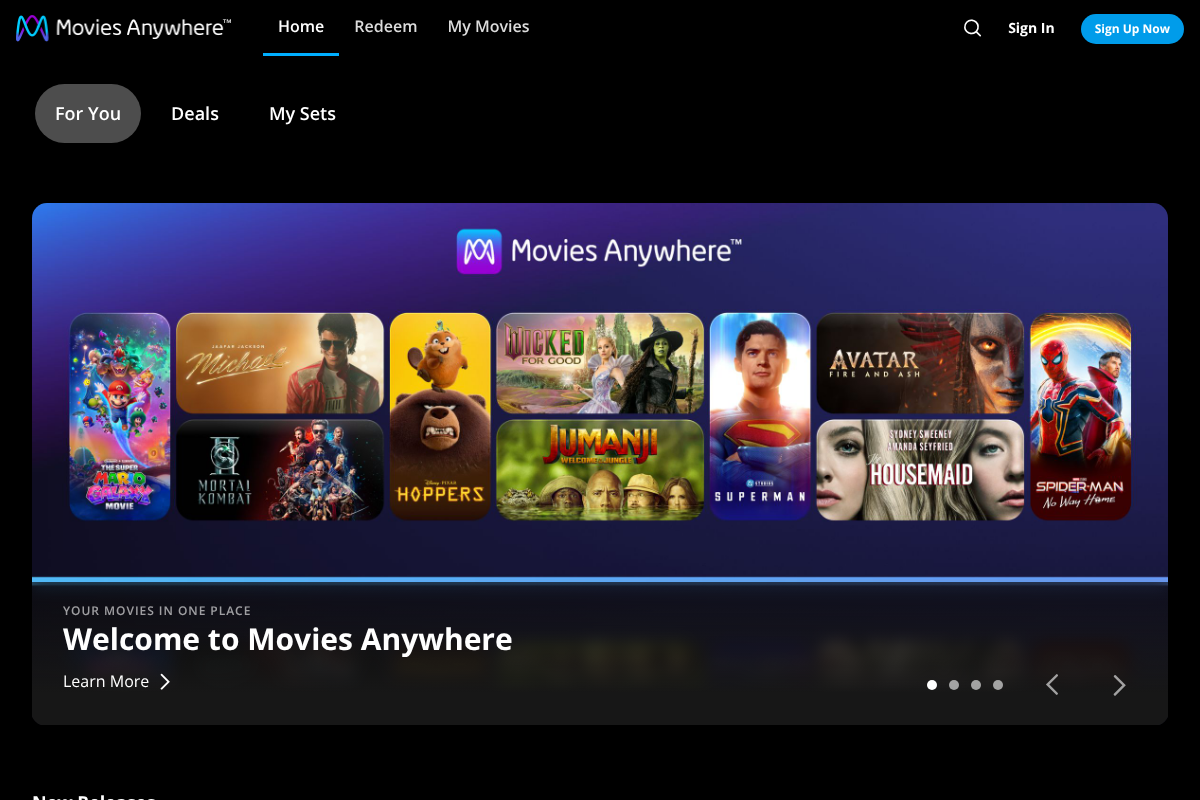
Movies Anywhere is a free service that connects your digital movie accounts so eligible titles show up everywhere you have a linked library. Once you connect it to Apple TV, Prime Video, and other participating stores, a movie you buy at any one of them registers with Movies Anywhere and becomes available to stream or download from all of the others.
The current participating retailers include Apple TV, Amazon Prime Video, Fandango at Home, Google TV and YouTube, Xfinity, Verizon Fios, and DIRECTV, according to the service’s own list of participants. Link both Apple and Amazon to the same Movies Anywhere account and your eligible purchases effectively live in both places at once.

What Actually Syncs, and What Does Not
The catch is eligibility, and it hinges on the studio. Movies Anywhere covers films from Disney, including Pixar, Marvel, Lucasfilm, and 20th Century, plus Sony, Universal, Warner Bros., and Lionsgate, which joined in 2026. Movies from studios that have not joined, notably Paramount and MGM, will not sync no matter where you bought them.
Two more limits matter. Only movies are eligible, since there is no equivalent service for TV shows, so any series you buy stays locked to the store you bought it from. And format and extras can vary between retailers, so a 4K version or an extended cut that exists on one store may appear only in standard form, or not at all, on another.
You Are Linking, Not Transferring
This is the mental shift that clears up most confusion. Movies Anywhere does not pick up a purchase from Apple and drop it into Amazon; it shows the same eligible movie in every connected library while the original purchase stays exactly where you made it. Disconnect a retailer and its titles simply stop appearing in the others.
So there is no way to hand a single Apple purchase to a friend’s Amazon account, or to truly relocate your library from one store to another. What you get instead is access to your own eligible movies across all the stores you personally connect, which is usually what people actually want.
How to Connect Apple TV and Prime Video
Setup takes a few minutes and no payment. Create a free Movies Anywhere account, then in its app or website choose to connect a retailer and sign in to your Apple account, and repeat the process to connect Amazon Prime Video. Your eligible past purchases from each store flow into the shared library automatically.
From then on, buy a movie at whichever store has the best price, and if it is an eligible title it appears in both Apple TV and Prime Video without any extra step. It is also how people rescued libraries when Microsoft’s movie store wound down, by connecting their other retailers so the eligible titles stayed reachable.
The Bigger Truth: You Bought a License
Portability aside, it is worth knowing what a digital “purchase” really is. A California law, AB 2426, took effect at the start of 2025 and requires online stores to stop implying permanent ownership, because buying a digital movie generally grants you a long-term license rather than a file you own outright, and a store can lose the rights and remove a title.
Movies Anywhere reduces that risk by spreading your access across several retailers, so one store dropping a title does not necessarily cut you off everywhere. It is not a guarantee of forever, but linking your libraries is the closest thing to durable access that today’s digital movie system offers.
This is general information about digital movie services, not legal or purchasing advice. Which studios, retailers, and titles participate in Movies Anywhere changes over time, availability differs by country, and license terms vary by store. Confirm a specific movie’s eligibility and format before you buy, and check each retailer’s current terms, since what syncs today can change.
Frequently Asked Questions
Can you transfer a digital movie purchase between Apple TV and Prime Video?
Not as a direct store-to-store transfer, but yes in effect through Movies Anywhere. Connect both your Apple and Amazon accounts to a free Movies Anywhere account, and any eligible movie you own on one appears in the other. The purchase itself stays where you bought it; Movies Anywhere simply makes it visible across your linked libraries.
What movies are eligible for Movies Anywhere?
Films from participating studios: Disney, including Pixar, Marvel, Lucasfilm, and 20th Century, plus Sony, Universal, Warner Bros., and Lionsgate. Titles from studios that have not joined, most notably Paramount and MGM, are not eligible and will not sync. Only movies qualify, not TV shows, and eligibility is per title, so check before you buy.
Do TV shows transfer between Apple TV and Prime Video?
No. Movies Anywhere covers only movies, and there is no equivalent service for television, so any TV series you purchase stays locked to the store where you bought it. If cross-platform access matters for a show, that is a strong reason to consider where you buy it, since the purchase cannot be linked or moved elsewhere.
Movies Anywhere vs buying on one store: which is better?
Movies Anywhere is better for flexibility, letting you buy an eligible film wherever it is cheapest and watch it on any linked store, and spreading access so one retailer dropping a title is less likely to cut you off. Buying on a single store is simpler but locks you in, and non-eligible titles from studios like Paramount only live where you bought them.
Do you really own digital movies you buy?
Usually not in the way you own a disc. A digital “purchase” typically grants a long-term license, not outright ownership, and a store can remove a title if it loses the rights. A 2025 California law now requires clearer disclosure of this. Linking libraries through Movies Anywhere spreads your access but does not make the license permanent.
The Bottom Line
You cannot hand a movie purchase from Apple TV straight to Prime Video, but you rarely need to. Connect both to a free Movies Anywhere account and your eligible films, movies from the major participating studios, appear in both libraries at once, while TV shows and titles from holdout studios stay put. Treat every digital purchase as a license, spread it across linked retailers, and check a title’s eligibility before you pay. For more on getting the most from your streaming setup, browse YouGottaRead’s Movies section, including our guides to the retention tactics that keep you subscribed and Apple TV+ alternatives with kid profiles and a PIN.


