


The early clues of a SIM swap, what the fraud numbers really say, and how to shut the door before your accounts fall.
A SIM swap almost always starts the same quiet way: your phone loses signal for no reason, and within minutes the codes that protect your email and bank stop arriving because they are now going to someone else’s device. By the time most people understand what happened, the attacker has already reset a password or two. Looking at the SIM swap warning sign stats and, more usefully, the order the clues appear, is the difference between catching it in the first ten minutes and finding out when your bank calls.
Short Answer
The first sign of a SIM swap is your phone suddenly going dark, showing no bars or “SOS only” while you still have a working device. Next come carrier notifications you did not request and 2FA codes that never arrive. Reported cases have actually fallen since 2022, but the losses per victim stay high, and the fix is the same either way: call your carrier from another line immediately, lock your number, and move your important accounts off SMS codes.

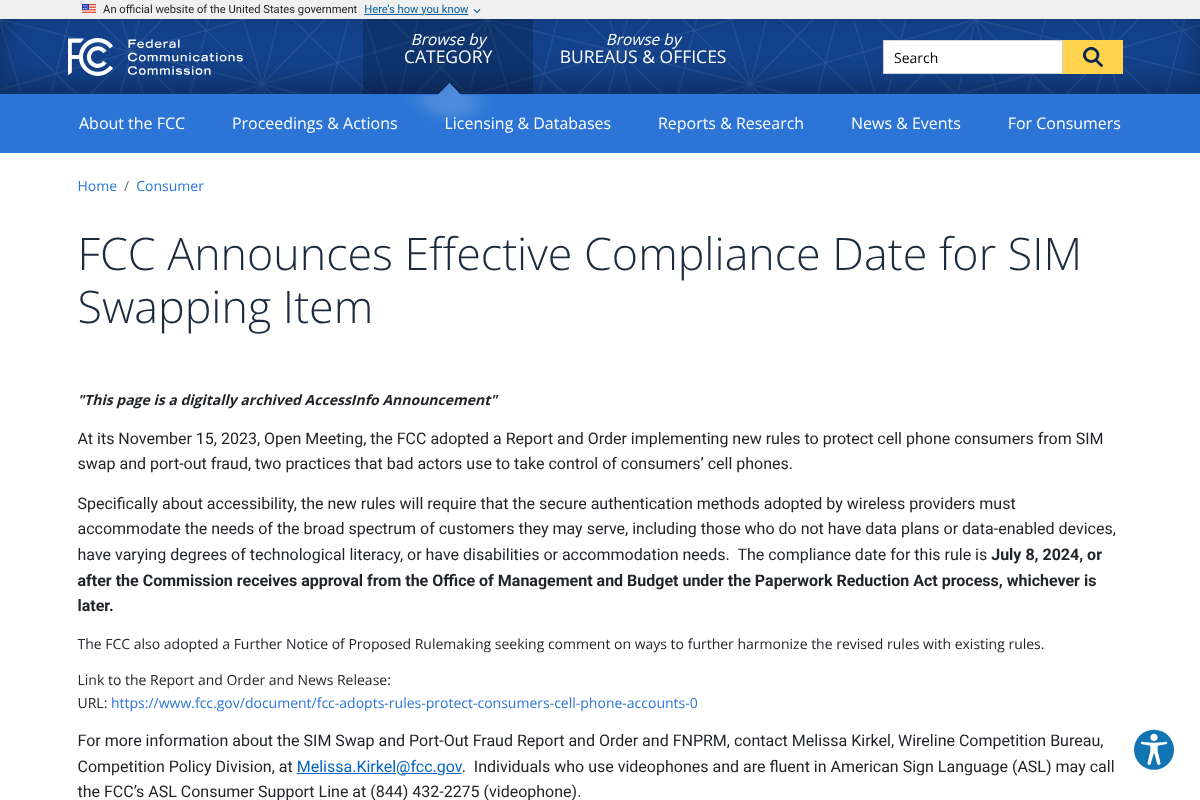
Table of Contents
What the SIM swap numbers actually show
The honest starting point: no one publishes a clean statistic for how often each warning sign shows up first, so anyone quoting a precise “83% of victims noticed X” figure is guessing. What is real and verifiable is the reported volume and cost of the crime, and it tells an interesting story.
According to the FBI’s Internet Crime Complaint Center, SIM swap complaints have declined from their 2022 peak: 2,026 complaints in 2022, 1,075 in 2023, and 982 in 2024. Reported losses fell alongside them, from about $72.7 million in 2022 to $48.8 million in 2023 to roughly $26 million in 2024, according to the 2024 IC3 annual report. Two caveats matter, though. These count only complaints filed with the FBI, so the true number is higher, and they do not include the downstream damage a SIM swap enables, like a drained bank account logged as a separate crime.
Part of the decline traces to regulation. At its November 2023 meeting the FCC adopted rules, effective July 8, 2024, that require carriers to authenticate you securely before any SIM change or port-out, to offer a free account lock, and to notify you immediately of a SIM or port request. Those notifications are exactly the warning signs below, which is why paying attention to them matters more now than ever.
The warning signs, in the order they usually appear
SIM swaps follow a predictable sequence. Catching it early means recognizing the first clue for what it is instead of blaming your carrier.
- Your phone goes dark. Bars drop to nothing or “SOS only,” calls fail, and texts will not send, even though the phone is fine and others nearby have service. This is almost always the very first sign, and it is the one people most often shrug off.
- A carrier notification you did not request. A text or email saying your SIM was changed, a new device was activated, your number is being ported, or your account PIN or address was updated. Under the new rules carriers must send these, so treat any of them as an alarm, not spam.
- 2FA codes stop arriving. You request a login code and it never comes, because it is being delivered to the attacker’s phone. If service is out and codes are missing at the same time, assume the worst.
- You get locked out of your carrier account. Your login to the mobile provider suddenly fails, a sign someone changed the credentials to keep control of the number.
- Password-reset emails you did not start. Notices of reset attempts or logins on your email, bank, or crypto accounts mean the attacker is already using the stolen number to work through your logins.


What to do the moment you suspect it
Speed is everything here, because the attacker’s window is the gap between the swap and your response. Move in this order.
- Call your carrier from another phone. Use a landline, a partner’s phone, or Wi-Fi calling on another device. Tell them you suspect a SIM swap and have them freeze the number and reverse any pending change.
- Lock down email first. Your email is the master key to password resets. Change its password and sign out all sessions before touching anything else.
- Contact your bank and any financial accounts. Alert them to possible fraud and watch for unauthorized transfers. The money, not the phone number, is usually the real target.
- Switch 2FA off SMS. As you regain access, move accounts to an authenticator app or a hardware key so the phone number stops being the weak link.
- Report it. File with the FBI’s IC3 and the FTC, which creates a record you may need for disputes and recovery.
How to lock your number down before it happens
Prevention is far easier than recovery, and thanks to the 2024 rules the strongest protections are now free. The single most effective step is to call your carrier or open its app and enable a port-out lock or number-transfer freeze, which blocks any SIM change until you personally lift it. Add a separate account PIN or passcode that is not your birthday or address, and never reuse it elsewhere.
Beyond the carrier, move your most sensitive logins, email, banking, and any crypto, off SMS-based codes and onto an authenticator app or a physical security key. SMS 2FA is exactly what a SIM swap defeats, so taking the phone number out of the equation removes the payoff for the attack entirely. If you do only two things, lock the port-out and drop SMS 2FA on your money accounts.
This article is general information, not financial or legal advice. If you believe you are a victim of fraud, contact your carrier, your bank, and law enforcement directly for guidance on your situation.
What This Means
SIM swap losses are down from their 2022 peak, but that is cold comfort if you are one of the roughly 1,000 people reporting it a year, and the real number is higher. The good news is that this attack telegraphs itself. A phone that goes dark for no reason is rarely a simple network glitch to wait out, and it is often the one clue that buys you time. Treat it as an emergency, lock your number now while the protection is free, and get your important accounts off text-message codes. For more on protecting your accounts, see YouGottaRead’s guide to spotting account-takeover scams, and browse the Business section for more on fraud and security.
Frequently Asked Questions
What is the first sign of a SIM swap?
The first sign is almost always your phone suddenly losing service: no signal bars, “SOS only,” and calls or texts that will not go through, even though the device works and others around you have service. If that happens without explanation, treat it as a possible SIM swap and act quickly.
How common is SIM swap fraud?
The FBI recorded 982 SIM swap complaints in 2024, down from 2,026 in 2022, with reported losses of about $26 million. Those figures count only complaints filed with the FBI and exclude downstream account theft, so the real scale is larger than the numbers suggest.
Can I stop a SIM swap before it happens?
Largely, yes. Call your carrier or use its app to turn on a free port-out lock or number-transfer freeze, set a strong account PIN, and move your important logins off SMS codes to an authenticator app or hardware key. Those steps remove both the entry point and the payoff.
Why do my 2FA codes stop working during a SIM swap?
Once your number is moved to the attacker’s SIM, any text-message verification code is delivered to their phone instead of yours. That is why SMS-based two-factor authentication fails during a swap, and why authenticator apps and hardware keys are safer for sensitive accounts.
Do the new FCC rules actually protect me?
They help. Since July 2024, carriers must authenticate you securely before a SIM change or port-out, offer a free account lock, and notify you immediately of any request. Those notifications are your early warning, but you still need to enable the lock and act fast when an alert arrives.


