


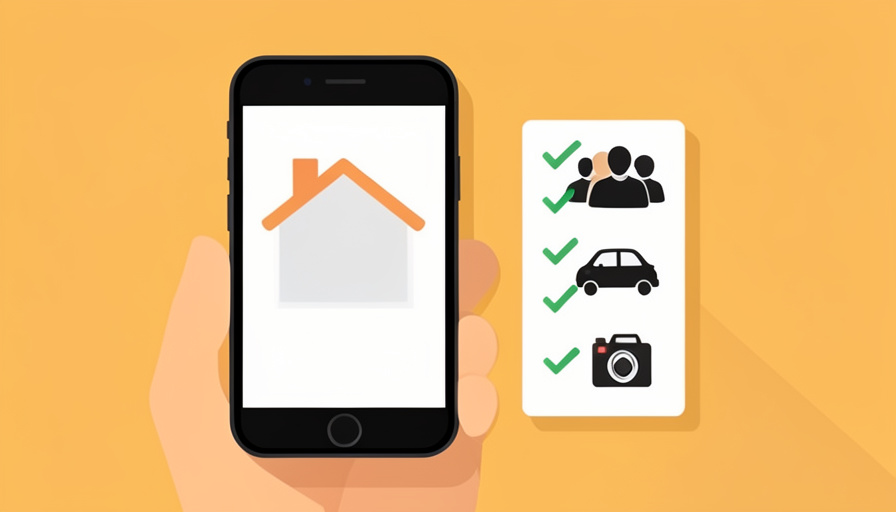
You found the place. The photos are great, the location is perfect, and you are one tap from booking. That is exactly the moment most people scroll right past the house rules, and it is exactly where the trip can quietly go wrong. A quiet-hours clause, an extra-guest fee, or a two-cars-only parking note is easy to miss when you are excited, and much harder to argue about after you have paid and arrived.
Knowing the short-term rental rules to check, and screenshotting them before you book, is the simplest insurance against surprise fees and awkward disputes. Listings can be edited after you reserve, so a screenshot is your proof of what the host actually promised and required at the time you agreed to it. Here are the eleven rules worth capturing on every booking, and why each one matters.
The Short Answer
Before booking, screenshot the maximum occupancy, extra-guest fees, party and visitor policy, quiet hours and any noise-monitor disclosure, camera disclosures, parking rules, pet and smoking policies, check-in and checkout times, the checkout task list and cleaning fee, and the exact cancellation policy. Save them together with the listing and total price, so you have dated proof if a rule or charge is disputed later.
Why Screenshot the Rules at All?
A screenshot turns “the host said” into something you can prove. Listings, house rules, and even prices can be edited by the host after you book, and if a fee appears or a rule changes, a dated screenshot of what was shown when you reserved is your strongest evidence with the platform. It also just helps you remember: rules you captured are rules you can actually follow, instead of guessing at checkout. Save each screenshot with the listing title and the full price breakdown so everything lives in one place.
The 11 Rules to Screenshot Before You Book
1. Maximum occupancy
Every listing states a maximum number of guests, and going over it can mean extra charges or even cancellation on arrival. Check whether daytime visitors count toward the limit, since some hosts count everyone who sets foot inside. Screenshot the stated number so there is no argument about how many people the booking actually covers.
2. Extra-guest fees
Many hosts set a base number of guests and then charge a per-person, per-night fee above it, commonly somewhere in the range of $10 to $50 per extra guest per night. That can quietly add a lot to a group trip. Capture the base occupancy and the exact extra-guest fee so the total you expected matches the total you are charged.
3. Party and visitor policy
Airbnb’s global party ban still applies in 2026, though hosts can choose to allow small gatherings, and Vrbo takes a hard line against unauthorized parties. Beyond parties, some listings ban any visitors who are not on the reservation. If you were hoping to have friends over for an evening, screenshot the exact wording, because “no parties” and “no visitors at all” are very different rules.
4. Quiet hours and noise monitors
Look for stated quiet hours and any disclosure of a noise-monitoring device. These decibel monitors are permitted and increasingly common; they measure sound levels rather than record audio, and are meant for common areas. Knowing the quiet hours keeps you from a warning or penalty, and screenshotting the monitor disclosure means you know it is there and what it does.
5. Camera and security-device disclosures
This one matters for your privacy. Airbnb bans indoor cameras in every listing worldwide, even switched off, and outdoor cameras must face outward, like toward a driveway, and be disclosed before you book. Screenshot any camera or security-device disclosure in the listing. If you later find a device that was not disclosed, that saved listing is exactly the proof you need to report it.
6. Parking rules
Parking is a frequent surprise, especially in cities. Check how many vehicles are allowed, whether parking is on-site, on the street, or permit-only, and whether there is an EV charger if you need one. A listing that sleeps eight but has one driveway spot and permit-only street parking is a problem worth knowing about before you arrive, not after.
7. Pet policy and pet fees
If you travel with a pet, confirm the policy in writing, including any weight or breed limits and the pet fee, which is often separate from the cleaning fee. If pets are banned, note it, since arriving with one can end the stay. Screenshot the policy and fee so an assistance-animal situation or a pet charge can be sorted out with clear documentation.
8. Smoking policy
Most short-term rentals ban smoking indoors, and violating it can trigger a steep cleaning or damage charge. Check whether smoking or vaping is allowed anywhere on the property, such as a patio, and screenshot the rule and any stated penalty. This is a common source of after-checkout disputes, so having the exact policy captured protects you.
9. Check-in and checkout times
Confirm the check-in and checkout times and whether early check-in or late checkout is available, and at what cost. Some hosts charge for even a short late checkout, and cleaning schedules between guests are tight. Screenshot the times so you can plan flights and transport around them, and so a disputed late-checkout fee can be checked against what was promised.
10. Checkout task list and cleaning fee
Many listings charge a cleaning fee and still ask you to do chores at checkout, like starting laundry, running the dishwasher, taking out trash, or stripping beds. Screenshot both the cleaning fee and the checkout task list, so you know what is expected and can point to it if you are charged extra for a task that was never listed. A big cleaning fee paired with a long chore list is worth seeing up front.
11. The exact cancellation policy
Cancellation terms vary widely, from flexible to strict to non-refundable, and they decide how much you get back if plans change. Note that platforms generally offer a 24-hour grace period to cancel for a full refund if you booked at least seven days before check-in. Screenshot the exact policy tier shown on your reservation, since this is the rule most likely to cost you real money and most likely to be disputed.
What to Do If a Rule Changes or a Camera Isn’t Disclosed
If a fee or rule appears that was not in your saved screenshots, or you find an undisclosed indoor camera, you have grounds to act. Document everything with photos and your original screenshots, raise it with the host in the platform’s messaging so there is a record, and if it is not resolved, escalate to the platform’s support with your evidence. An undisclosed indoor camera in particular violates Airbnb policy, and your booking-time screenshot is what makes the report stick. Keep all communication inside the app rather than by phone or text.
This is general travel guidance, not legal advice, and platform policies, fees, and rules differ by host, platform, and location and change over time. Confirm the current terms in the listing and the platform’s own help pages before you book, and contact the platform directly for a specific dispute. When something feels unclear, ask the host in writing through the app so the answer is on the record.
Frequently Asked Questions
What short-term rental rules should I check before booking?
Check and screenshot the maximum occupancy and extra-guest fees, the party and visitor policy, quiet hours and any noise-monitor disclosure, camera disclosures, parking, pet and smoking policies, check-in and checkout times, the checkout task list and cleaning fee, and the exact cancellation policy. These are the rules most likely to cost money or cause disputes, so capturing them before you book protects you if anything changes later.
Can Airbnb hosts have cameras inside the rental?
No. Airbnb bans indoor cameras in every listing worldwide, even when they are switched off. Outdoor cameras are allowed only if they face outward toward areas like a driveway or street and are disclosed in the listing before you book. Screenshot any camera disclosure when you reserve, and if you find an undisclosed indoor device during your stay, report it to Airbnb, using your saved listing as evidence.
Why should I screenshot house rules instead of just reading them?
Because listings and rules can be edited by the host after you book, a screenshot is dated proof of what was shown when you agreed to the reservation. If a fee appears or a rule changes, that evidence is your strongest position with the platform. Screenshots also help you actually follow the rules, since you can refer back to the exact quiet hours, checkout tasks, or parking limits instead of guessing.
How much are extra-guest fees on short-term rentals?
Hosts set their own fees, but extra-guest charges commonly fall somewhere around $10 to $50 per additional guest per night above the base occupancy. On a group trip that can add up quickly, so check the base number of guests included and the per-person fee before booking. Screenshot both, so the total you were quoted matches what you are actually charged.
What happens if I break a short-term rental house rule?
Consequences range from a warning to extra fees to cancellation of the stay, depending on the rule and platform. Exceeding occupancy, throwing an unauthorized party, smoking indoors, or bringing an unapproved pet are the ones most likely to trigger charges or removal. Knowing and following the rules you screenshotted avoids this, and if you are charged for something that was not disclosed, your saved rules are your evidence to dispute it.
The Bottom Line
The house rules are the boring part of booking, and skipping them is how a great-looking rental turns into surprise fees and arguments. Before you tap book, screenshot the eleven that matter most: occupancy, extra-guest fees, the party and visitor policy, quiet hours and noise monitors, camera disclosures, parking, pets, smoking, check-in and checkout times, the checkout tasks and cleaning fee, and the cancellation terms. Keep them with the listing and price, and you turn every rule into something you can prove. For more pre-booking protection, see our guides to basic economy restrictions worth screenshotting and where hotel resort fees hide, or browse the YouGottaRead Travel section.


