



You scan a barcode, get three entries for the exact same box of crackers, and each one claims a different calorie count. So you pick the one that looks right, which is a polite way of saying you guessed. After a week of that, the numbers you are carefully logging are built on sand, and the whole point of tracking, knowing what you actually ate, quietly slips away.
The MyFitnessPal alternatives with a more accurate database fix this by curating their food data instead of letting anyone type in anything. MyFitnessPal’s catalog is enormous, but much of it is user-submitted, which is why duplicate and conflicting entries pile up. The apps below lean on verified sources and tighter moderation, so the macros you log are closer to the truth. Here are seven, compared on data quality, cost, and who each suits.
The 7 Alternatives at a Glance
- Cronometer: verified data and the best micronutrient tracking.
- MacroFactor: curated database with adaptive macro targets.
- Lose It!: cleaner database and the simplest switch.
- Lifesum: curated food data with a polished design.
- Yazio: tidy database and clear macro breakdowns.
- FatSecret: free tracking with a moderated catalog.
- Carbon Diet Coach: coaching built on maintained data.
How We Chose These
We prioritized database quality, meaning apps that rely on verified or tightly moderated food data rather than an open flood of user entries. Consistency mattered most: scanning the same product should return one trustworthy result, not a lottery of conflicting numbers.
From there we weighed macro and micronutrient accuracy, whether core features like the barcode scanner are free or paywalled, and how each app suits different goals. We also kept the honest caveats in view, since no database is flawless and regional foods trip up every tracker.
Why MyFitnessPal’s Data Feels Off
The root issue is how the database is built. MyFitnessPal grew a massive catalog by letting users add foods, which is great for coverage but means the same item can exist dozens of times with different, sometimes wrong, values. Picking the accurate entry becomes your job.
On top of that, features people relied on, like the barcode scanner, moved behind the paid tier, and ads crowd the free experience. None of that makes the app useless, but for anyone who wants their logged macros to be trustworthy without extra effort, the data-quality gap is the reason to look elsewhere.
Quick Comparison
| App | Best for | Data source | Free tier |
|---|---|---|---|
| Cronometer | Verified accuracy, micros | Curated, verified | Generous |
| MacroFactor | Adaptive macro targets | Curated | Trial, then paid |
| Lose It! | Simple, clean switch | Moderated | Yes |
| Lifesum | Design and guidance | Curated | Limited |
| Yazio | Clear macro breakdowns | Curated | Limited |
| FatSecret | Free tracking | Moderated, community | Yes |
| Carbon Diet Coach | Guided coaching | Maintained | Trial, then paid |
1. Cronometer
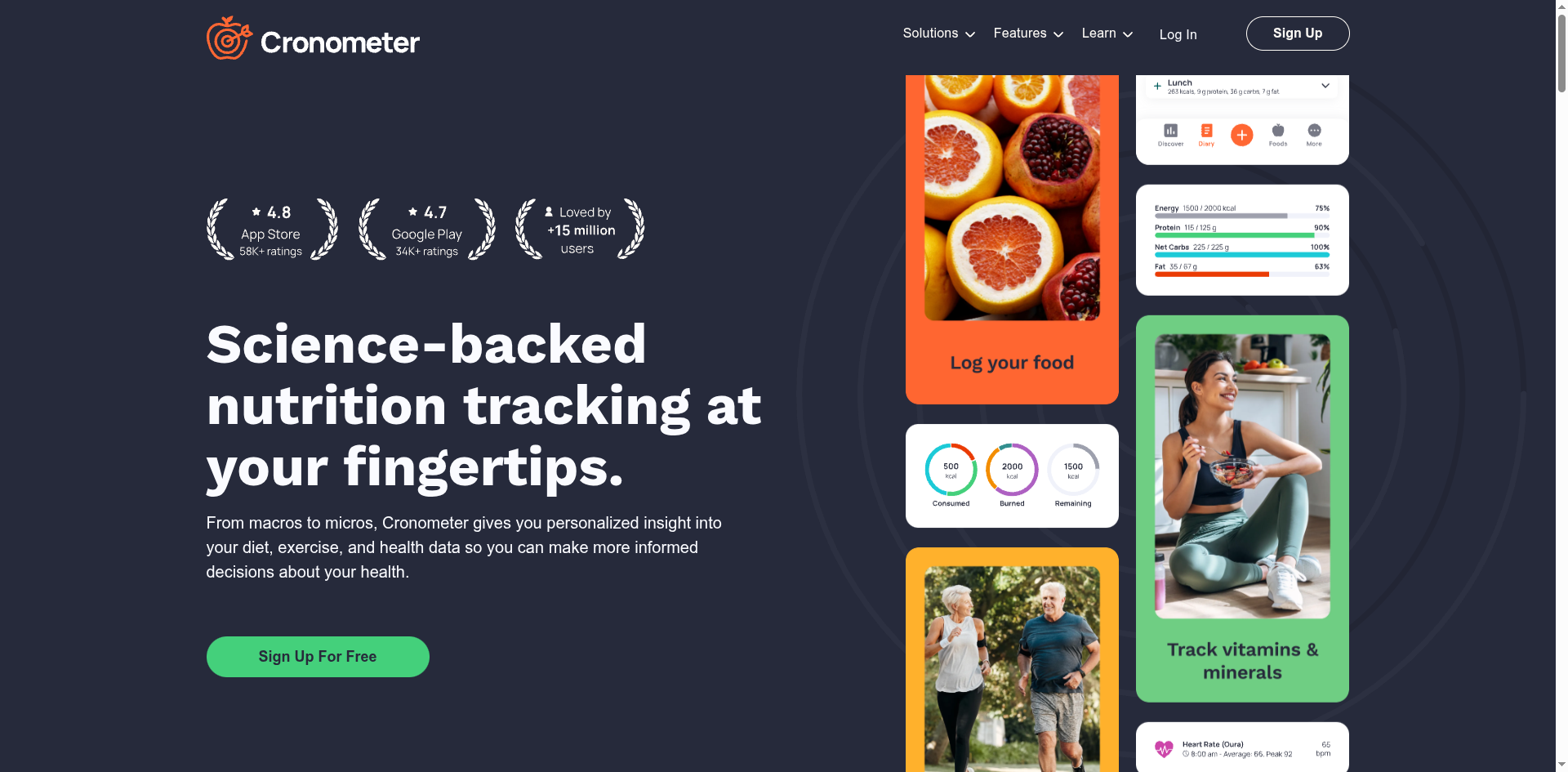
Cronometer is the pick when data integrity is the whole point. Its database draws from verified sources rather than open user submissions, so entries are consistent, and it tracks dozens of micronutrients that most apps ignore, which matters if you care about more than calories.
The free tier is genuinely usable, including the barcode scanner, and there is a portal that dietitians can access, which helps if you work with a professional. If your main frustration with MyFitnessPal is trusting the numbers, Cronometer is the most direct upgrade in accuracy.

2. MacroFactor
MacroFactor pairs a curated database with a smart, adaptive program. It keeps its food data tightly moderated to cut down on junk entries, then reads your weight trend to recalibrate your calorie and macro targets each week, so your plan adjusts to reality instead of a fixed guess.
It is subscription-only with no ads, which many users see as a fair trade for a clean experience. Some report the occasional serving-size gap, a reminder that no database is perfect, but for macro-focused tracking with automatic target adjustments, MacroFactor is a standout.
3. Lose It!
Lose It! is the easiest landing spot if you want something familiar but cleaner. Its interface is simple, the database is more moderated than MyFitnessPal’s, and the barcode scanning and logging flow feel quick, which lowers the friction of switching.
It is the most direct swap for people whose main complaint is clutter and cost rather than deep micronutrient data. For everyday calorie and macro tracking without the noise, it does the core job cleanly and keeps a useful free tier.
4. Lifesum
Lifesum leans on design and gentle guidance. Its food database is curated, the app looks polished, and it wraps tracking in eating plans and habit nudges that some people find more motivating than a raw log.
The richer features sit on the paid tier, so weigh that against your needs. But if a clean, well-designed experience keeps you consistent, and consistency is what actually moves the needle, Lifesum is a pleasant, accurate-enough home for daily tracking.
5. Yazio
Yazio is a tidy, straightforward tracker with a curated catalog. It presents macros clearly, handles fasting and recipes well, and keeps its database cleaner than the free-for-all model, so logging feels reliable rather than chaotic.
It is popular across Europe and translates well internationally, though like every app its coverage of very local foods can be thin. For clear macro breakdowns and a moderated database at a reasonable price, Yazio is a solid middle option.
6. FatSecret
FatSecret is the free pick that still takes data seriously. It offers calorie and macro tracking, a barcode scanner, and a community, with more moderation than MyFitnessPal applies, all without pushing you toward a subscription.
Because it does include community entries, it pays to sanity-check a food the first time you log it. But for a genuinely free tracker with a cleaner catalog than MyFitnessPal’s, FatSecret covers the basics well and does not hide core features behind a paywall.
7. Carbon Diet Coach
Carbon Diet Coach is for people who want the app to guide the plan. Built with input from a well-known nutrition coach, it adjusts your targets based on your progress and works from a maintained database, so the numbers behind its coaching stay dependable.
It is a paid app aimed at those who want structure rather than a bare log. If your issue with MyFitnessPal is both shaky data and a lack of direction, Carbon combines a cleaner catalog with active coaching to keep you on track.
This article is general information about nutrition-tracking apps, not medical or dietary advice. Calorie and macro figures in any app are estimates, and the right targets depend on your health, so consult a doctor or registered dietitian before making changes. If tracking food ever feels distressing or you have a history of disordered eating, please reach out to a qualified professional for support.
Frequently Asked Questions
What are the best MyFitnessPal alternatives with an accurate database?
Cronometer leads for verified, consistent data and micronutrients, and MacroFactor for a curated database with adaptive macro targets. Lose It! is the simplest clean swap, Lifesum and Yazio offer polished curated tracking, FatSecret is the free moderated option, and Carbon Diet Coach adds guided coaching. Choose based on whether accuracy, cost, or coaching matters most.
Why is MyFitnessPal’s food database so inaccurate?
Because much of it is user-submitted. Anyone can add a food, so the same product often appears many times with different and sometimes incorrect values, and you have to guess which entry is right. The database is huge for coverage, but that openness is exactly what creates the duplicate and conflicting entries people complain about.
Cronometer vs MacroFactor: which has the more accurate data?
Both use curated databases rather than open submissions, so both are more consistent than MyFitnessPal. Cronometer is often considered the most verified, especially for micronutrients, and has a strong free tier. MacroFactor is tightly moderated and adds adaptive targets but is subscription-only. Pick Cronometer for pure data accuracy and MacroFactor for automated macro coaching.
Is there a free MyFitnessPal alternative with a good database?
Yes. Cronometer’s free tier is generous and includes the barcode scanner and verified data, and FatSecret is free with a more moderated catalog than MyFitnessPal. Lose It! also keeps a useful free tier. If cost is your main frustration with MyFitnessPal, these give you cleaner data without pushing core features behind a paywall.
Do any of these fix wrong macros for regional or international foods?
Partly. Curated apps like Cronometer and MacroFactor are more consistent overall, but coverage of very local or regional dishes is thin across almost every tracker, which is a common complaint worldwide. For those foods, you may still need to build a custom entry from the label or a trusted reference and reuse it, whichever app you choose.
The Bottom Line
If MyFitnessPal has you second-guessing every entry, the fix is an app that curates its data instead of crowdsourcing it. Cronometer wins on verified accuracy and micronutrients, MacroFactor on adaptive macro targets, and Lose It! on being the easiest clean switch, while Lifesum, Yazio, FatSecret, and Carbon cover design, budget, and coaching. Whichever you try, log a few familiar foods first and check the numbers look right before you trust it. For more on cutting through health noise, browse YouGottaRead’s Health section, including our look at how we talk about food with kids, plus our guide to app permissions that break after an update.


