


You upgrade your phone, open the authenticator app on the new one, and it is blank. Every code you relied on to log into email, your bank, your work tools, gone with the old device. Google Authenticator built its reputation on being simple, and for years that simplicity meant one thing: lose the phone, lose the codes.
Looking for Google Authenticator alternatives with real backups usually starts the moment that fear becomes real, or nearly does. Google did add cloud sync in recent years, but people still switch for cleaner encrypted backups, true cross-platform support, and the ability to carry codes from an iPhone to an Android without a headache. Here are the apps that do that well, and how to pick the one that fits how you live across your devices.
The Quick Rundown
For the smoothest cross-platform experience, Ente Auth offers end-to-end encrypted sync across phones, desktop, and web, plus easy import from Google Authenticator. 2FAS is a strong open-source pick that backs up to your own cloud, Authy delivers reliable encrypted backups, and Bitwarden Authenticator fits anyone already in Bitwarden. Aegis has the best local control but is Android-only. Match the app to whether you want cloud sync or a purely offline vault.
Why People Leave Google Authenticator
The classic complaint was the missing safety net. For a long time, Google Authenticator stored codes only on the device, so a lost, broken, or wiped phone meant re-enrolling every account by hand. Cloud sync arrived later and helped, but by then many users had already looked elsewhere.
The reasons to switch now are subtler. People want encryption they can verify, backups they control, and a clean way to move codes between an iPhone and an Android, which is exactly where a Google-account-tied sync gets awkward. The alternatives below were built around those needs from the start.
What to Look For in a Backup-Friendly Authenticator
Before the names, it helps to know the four features that separate a resilient app from a fragile one:
- Encrypted backup or sync. Your codes are protected in transit and at rest, ideally end-to-end encrypted so only you can read them.
- Cross-platform support. The app runs on iOS and Android, and often desktop, so switching phone brands does not strand you.
- Easy import. A built-in way to bring codes over from Google Authenticator and other apps, so migration takes minutes.
- An offline option. The choice to keep a purely local vault if you would rather not trust any cloud.
Weigh those four against how you actually use your devices, and the right pick gets obvious.
The Options at a Glance
| App | Best for | Backup type | Platforms |
|---|---|---|---|
| Ente Auth | Cross-platform sync and migration | End-to-end encrypted cloud | iOS, Android, desktop, web |
| 2FAS | Open-source with your own cloud | Optional iCloud or Drive backup | iOS, Android |
| Authy | Reliable multi-device backups | Encrypted cloud sync | iOS, Android |
| Bitwarden Authenticator | Existing Bitwarden users | Encrypted account sync | iOS, Android |
| Proton Authenticator | Privacy-focused sync | End-to-end encrypted | iOS, Android, desktop |
| Aegis | Local control, no cloud | Manual encrypted export | Android only |
Ente Auth
Ente Auth is the standout for anyone who moves between platforms. Built by the team behind the Ente photo app, it adds end-to-end encrypted sync across iOS, Android, desktop, and web on top of standard time-based codes.
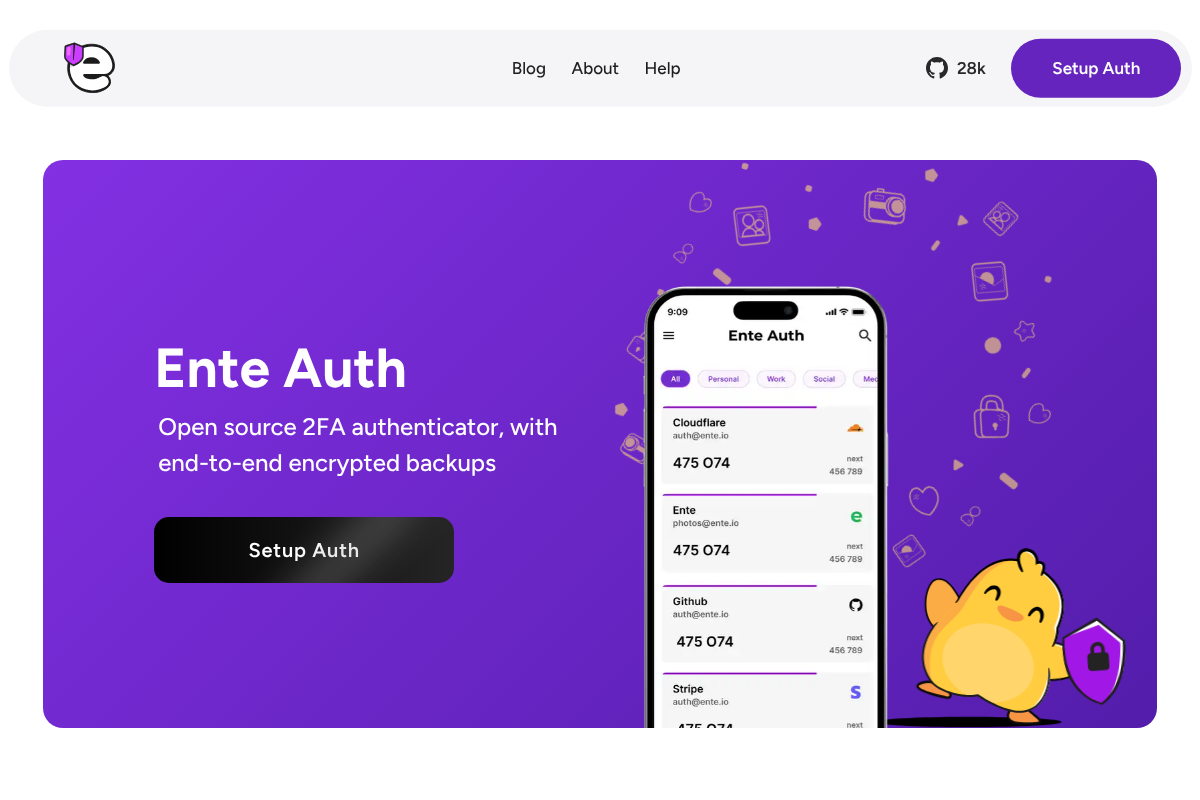

What makes it shine for a phone swap is import: it pulls in codes from Google Authenticator, Aegis, and 2FAS, so migrating is a quick job rather than an afternoon. It is open-source too, which lets the security-minded verify how the encryption works. See the project at Ente Auth.
2FAS
2FAS is the open-source pick that keeps you in control of the backup. It stores your codes on the device and offers optional encrypted backup to your own iCloud or Google Drive, so the seeds never sit on a company’s server.
It also ships a browser extension that lets you approve codes from a desktop without syncing the underlying secrets anywhere. For people who want open-source transparency and a backup they own, it is an easy recommendation, as its official site lays out.
Authy
Authy remains the most polished answer to the two classic pains: losing a phone and juggling codes across devices. Its encrypted cloud backup and multi-device sync are reliable, and setup takes only minutes.
Two caveats matter. Authy is closed-source and owned by Twilio, and its standalone desktop app was retired in 2024, so it is now a mobile-focused option. If you value ease over open-source verifiability, it still earns its long-standing reputation.
Bitwarden Authenticator
If you already use Bitwarden for passwords, its authenticator is the path of least resistance. Bitwarden Authenticator stores time-based codes end-to-end encrypted and syncs them through your Bitwarden account across iOS and Android.
Keeping codes and passwords in the same trusted ecosystem is convenient, though some security folks prefer to separate the two. For existing Bitwarden users who want automatic multi-device sync, it is a natural fit.
Proton Authenticator
Proton Authenticator is the newer privacy-first entry, from the company behind Proton Mail. It brings end-to-end encrypted sync across phones and desktop, aimed at people who already lean on Proton’s ecosystem for private email and storage.
It slots in nicely if you value a privacy-focused provider and want your codes synced without tying them to a big-tech account. As a more recent arrival, it is worth confirming current platform support against your devices before you commit.
Aegis Authenticator
Aegis is the choice for maximum control, with one clear limit. It is Android-only and offline by default, keeping a local encrypted vault and letting you make your own manual encrypted backups rather than relying on any cloud.
Because it does not sync across platforms, it is not the pick if you switch between iPhone and Android. But for an Android user who wants zero cloud exposure and full ownership of their backup file, nothing here beats it.
How to Choose the Right One
Start with a single question: do you want cloud sync or a purely local vault? If you switch phone brands or use several devices, an end-to-end encrypted sync app like Ente Auth or Proton Authenticator removes the migration pain entirely. If you distrust the cloud and stay on Android, Aegis gives you total control.
The middle ground is 2FAS, which syncs to a cloud you already own, or Bitwarden and Authy if you want an established name. Whichever you pick, do the migration while your old phone still works, and keep the one-time recovery codes for your critical accounts stored somewhere separate, in case any restore goes sideways.
Frequently Asked Questions
What are the best Google Authenticator alternatives with backups?
Ente Auth leads for cross-platform, end-to-end encrypted sync and easy import from Google Authenticator. 2FAS backs up to your own cloud, Authy offers reliable encrypted backups, and Bitwarden Authenticator suits existing Bitwarden users. Aegis has the strongest local backups but is Android-only.
Which authenticator app is easiest to move to a new phone?
Apps with end-to-end encrypted cloud sync are easiest, since you just sign in on the new phone and your codes appear. Ente Auth and Proton Authenticator do this across platforms, and Ente Auth can also import codes directly from Google Authenticator, which makes the first switch quick.
2FAS vs Ente Auth: which should I pick?
Choose Ente Auth if you want automatic end-to-end encrypted sync across phones, desktop, and web with simple migration. Choose 2FAS if you prefer an open-source app that backs up to your own iCloud or Google Drive and keeps the seeds off any company server. Both are strong, privacy-respecting choices.
Is it safe to keep 2FA codes in the cloud?
It can be, when the backup is end-to-end encrypted so only you hold the key. The convenience of restoring on a new phone is significant. If you would rather not trust any cloud, use an offline app like Aegis and make your own encrypted backup file instead.
Do I still need recovery codes if my authenticator has backups?
Yes. Backups reduce risk but do not eliminate it, since a restore can fail or an account can be lost. Download and store the one-time recovery codes for your most important accounts separately, so you can still get in if the authenticator itself becomes unavailable.
The Bottom Line
Google Authenticator’s old weakness was simple to fix by switching to an app built around backups. For most people who hop between devices, Ente Auth is the cleanest answer, with 2FAS close behind for those who want to own their backup. Move your codes while the old phone still works, keep recovery codes somewhere safe, and a new phone stops meaning a day of re-enrolling logins. For more on securing your accounts, browse YouGottaRead’s Tech section, including our look at how the big-name authenticator backups compare.


