


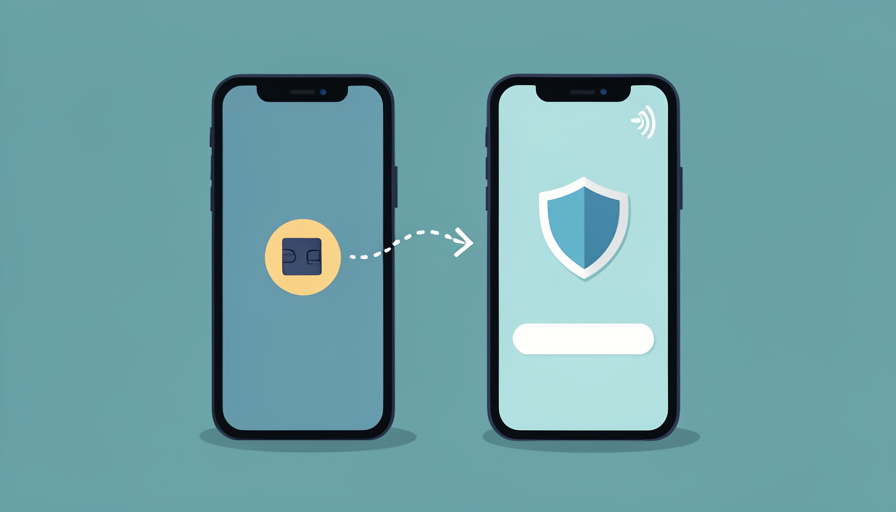
What actually happens to your text codes when you move to an eSIM-only phone, and how to avoid getting locked out during the switch.
You set up your shiny new phone, start the eSIM transfer, and everything looks fine until you try to log into your bank. It wants a text code. The code never comes. Worse, the app you would use to fix it also wants a text code, so you are stuck in a loop with no way out. This is the quiet trap behind eSIM switch SMS 2FA problems, and it catches people who did nothing wrong beyond upgrading their phone.
Every iPhone sold in the US since the iPhone 14 is eSIM-only, so there is no physical SIM to pop out and move across. That single change is why the handoff can leave your number in limbo for a stretch, and why your text-based logins go dark right when you need them.
In Brief
SMS 2FA codes only arrive once your number is fully active on the new phone. A same-brand transfer usually restores that in a minute or two, but switching carriers can take a few hours, and bank “short code” texts are often the last thing to come back. The fix is to prepare before you switch: move your authenticator app and backup codes first, keep the old phone powered on and unwiped, and switch during off-peak hours. If codes already stopped, do not wipe the old device until everything is verified.
Table of Contents
Why an eSIM-only switch breaks SMS 2FA
The short answer is that a text can only reach a number that is live on a device, and during an eSIM move your number is briefly attached to neither phone.
With a physical SIM you controlled the timing. You pulled the card, put it in the new phone, and the number followed the card in seconds. An eSIM is a software profile the carrier provisions over the network, so the number goes quiet from the moment the old profile is deactivated until the new one finishes activating. Apple’s own eSIM setup guide walks through a device-to-device transfer that is quick when both phones are the same brand and signed into the same account. Mix brands or change carriers and the tidy handoff falls apart.
There is a second problem most guides skip. The codes from your bank, brokerage, and government logins usually come from a “short code,” a five or six digit sender rather than a normal phone number. Short-code delivery has to be re-enabled on your line by the carrier, and it frequently lags behind regular texts. So you can be sending memes to friends on the new phone while every login code silently fails.
The activation gap: how long you are actually exposed
The window you need to plan around depends entirely on how you move the number. This is the part that decides whether the switch is a two-minute non-event or a two-hour scramble.
| How you move the number | Typical time before texts work again |
|---|---|
| Same brand, same carrier (iPhone to iPhone transfer) | A minute or two |
| QR code or carrier app re-download | A few minutes |
| Switching carriers (porting your number) | A few hours, sometimes most of a day |
| Any of the above during peak evening hours | Add 15 to 60 minutes |
Porting is the slow one because two companies have to talk to each other. The FCC says simple wireless transfers generally finish within a few hours, but a mismatch in your account details can stall it well past that. And short codes can trail normal service by an extra hour or more even after your calls and regular texts return. Plan for the worst case on this one, because the cost of guessing wrong is being locked out of your money on a weekend.
The checklist to run before you switch
Almost every lockout I have seen traces back to skipping the prep. Run this list before you start the transfer, not after something breaks.
- Move your authenticator first. Apps like Google Authenticator, Microsoft Authenticator, and Authy can transfer or back up your codes. Do that while the old phone still has service, so app-based 2FA keeps working even when SMS does not.
- Print or save your backup codes. Most banks and major accounts offer one-time recovery codes. Grab them for anything critical and store them somewhere that is not on either phone.
- Add a second 2FA method now. A backup email, a security key, or a second trusted number gives you a way in that does not depend on the number you are about to disrupt.
- Keep the old phone on and unwiped. Do not factory reset it until every account is verified on the new one. If SMS breaks, the old phone can often still catch a code over Wi-Fi calling.
- Switch off-peak. A weekday morning beats a Friday night. If activation stalls, carrier support is faster and short codes tend to re-provision sooner outside the evening rush.
If you only do one thing, make it the first one. App-based codes sidestep the entire SMS problem, and moving them takes five minutes when the old phone still works.


If the codes already stopped
Say you are already past the point of no return: new phone in hand, no text codes, and an account you cannot reach. Work through these in order before you call anyone.
- Go back to the old phone. If it still powers on, connect it to Wi-Fi and enable Wi-Fi calling. It can often receive the code even after the eSIM has moved, which is exactly why you left it unwiped.
- Use a non-SMS route. Try the account’s backup codes, your authenticator app, or the “use another method” link on the login screen. Email or a security key will get you in without waiting on the carrier.
- Restart and wait for the port. Toggle airplane mode, then restart the new phone. If you switched carriers, regular texts may work before short codes do, so give it a couple of hours before assuming it failed.
- Ask the carrier to check short-code routing. If normal texts arrive but bank codes do not, tell support the exact problem: short-code and A2P messages are not being delivered on the new line. That is a specific, fixable setting, not a vague “no texts” complaint.
The order matters. People burn an hour on hold with the carrier when a backup code would have let them in immediately, so exhaust the non-SMS options first.
Frequently Asked Questions
Will I lose my phone number when I switch to eSIM?
No. The number stays yours through an eSIM transfer or a carrier port. What changes is the brief window where it is being moved between profiles, during which calls and texts pause. Your number returns once activation finishes.
Why do regular texts work but bank codes do not?
Bank and government codes usually come from short codes, which are handled differently from person-to-person texts and have to be re-enabled on your line. They often come back an hour or more after normal messaging returns. If it has been longer than a few hours, contact your carrier about short-code delivery specifically.
How do I get 2FA codes if my new eSIM is not active yet?
Use a method that does not need the number: an authenticator app, saved backup codes, a backup email, or a hardware security key. This is why moving app-based 2FA before the switch matters, because it keeps working no matter what your SIM is doing.
Should I set up the new phone before or after activating the eSIM?
Set up the phone and move your authenticator and backups first, while the old phone still has service. Activate the eSIM last, once your non-SMS logins are confirmed on the new device. That sequence keeps you from ever being fully locked out.
Is it safe to wipe my old phone right after switching?
Not right away. Keep it powered on and unwiped until every important account is verified on the new phone. Over Wi-Fi it can still receive codes and act as your recovery lifeline. Wipe it only after you are certain the new phone handles everything.
The Bottom Line
An eSIM-only switch is not the problem. The gap while your number moves is, and text codes are the first thing to fall into it. Move your authenticator app and backup codes before you start, keep the old phone alive, and switch when carrier support is easy to reach. Do that and the transfer becomes a minor errand instead of a lockout. For more on protecting the accounts behind those codes, see YouGottaRead’s guide to spotting scams and locking down your accounts, and browse the wider Tech section for related phone and security tips.


